Turn capture dates into months and days of age.
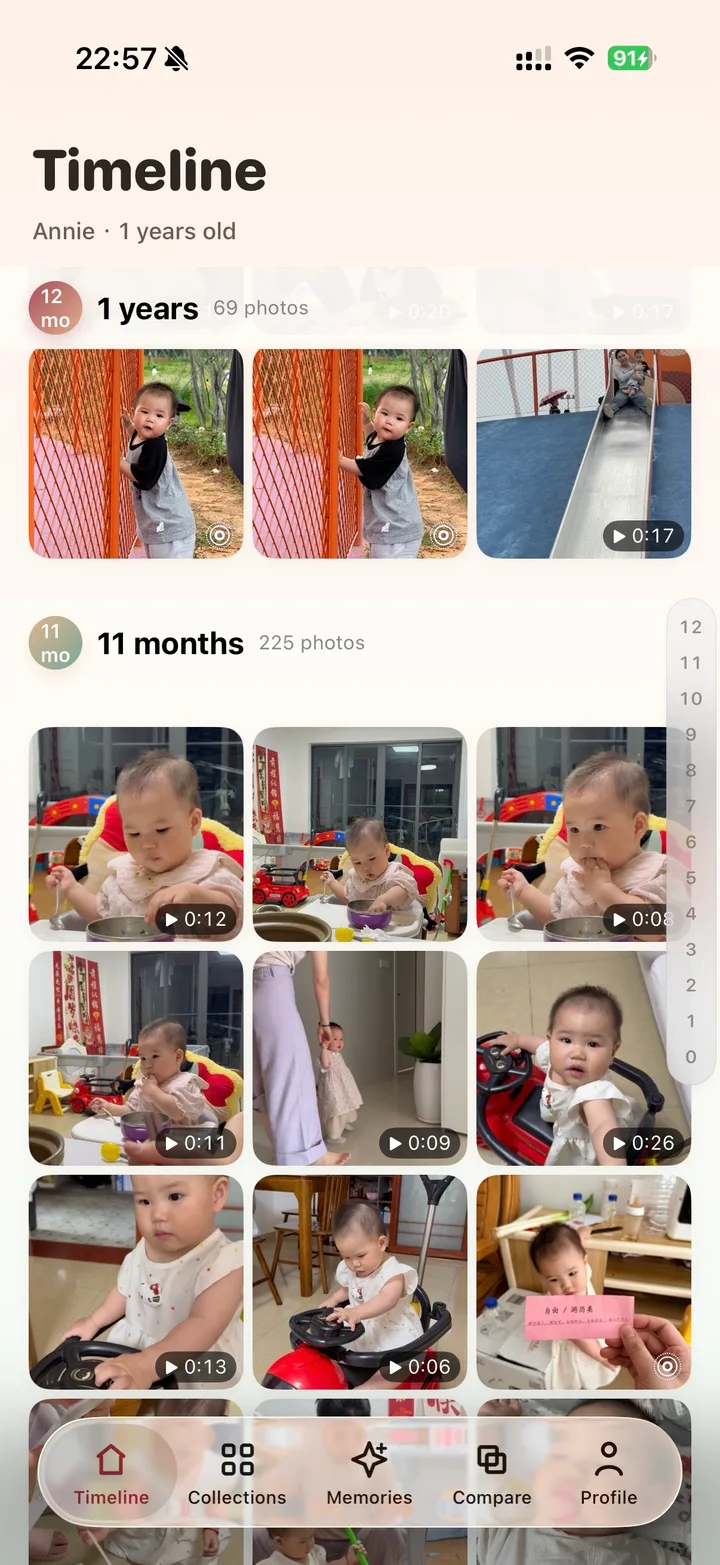
Organize baby photos by age
Organize baby photos by how old your child was.
Camera rolls remember timestamps. Parents remember newborn days, 3 months old, day 100, first steps, and first birthday.
Core idea
A photo date is not the same as a growth stage.
One month, day 100, 6 months, and first birthday are often the coordinates parents use to remember photos.
Jump to full month, day 100, and birthday stages.
Core recognition and indexing run primarily on device.
Start with your existing photos
Find one month you remember.
For a baby born on April 10, June 10 is the two-month birthday. Start with a photo whose date you know to check the birthday and timeline.
- 1
Set your baby’s birthday
Check the date: months and days of age are calculated from this starting point.
- 2
Allow photo access
Make the photos and videos you want to organize available for on-device analysis.
- 3
Check a familiar month
Find a photo you recognize, then explore collections and growth comparison.
Photos received from others and screenshots may not retain the original capture date. If an age looks wrong, check the birthday and photo date first.
Understand photo access and privacyMoments worth revisiting
The first year naturally becomes a set of chapters.
BabyTime keeps these common memories on an age line instead of burying them in a camera roll.
Birth, coming home, full month
Day 100, tummy time, first smiles
Rolling, sitting, first foods
Standing, birthday, growth compare
Ready to revisit the little moments? iPhone · iOS 18+
Download BabyTime free