
Start with one month you actually want to revisit
Choose a useful first goal: find the photos from your baby’s third month, prepare a birthday recap, or collect a few pictures for a family album. Start with that month rather than trying to finish the entire camera roll in one sitting.
Keep your originals and your usual photo backup while you organize. A collection is a way to find photos again; it should not be your only copy of a memory.
Give every month a clear date range
Write down your baby’s birthday, then identify the matching date in the following month. For a baby born on April 10, the newborn period runs from April 10 through May 9; the one-month-old period starts on May 10. This is different from a calendar-month album called “May”.
If a birthday falls at the end of a month, choose and document a consistent boundary for months without that date. Check how any app you use handles the same boundary.
Make a small, repeatable album structure
For manual sorting, use one folder for your baby and an album for each age range. Consistent names keep the sequence readable. Add a short “first-year favorites” selection after you have the monthly structure.
- Baby · 00 months: birth until the first monthly birthday.
- Baby · 01 months, Baby · 02 months, and so on: one age range per album.
- First-year favorites: a small selection drawn from the monthly albums.
Choose a few pictures that tell different parts of the story
Start with a small selection, such as one portrait, one ordinary routine, one family picture, one detail, and a favorite short video. This is a suggested starting point, not a quota. Keep what matters to your family.
When several photos show the same moment, choose a favorite for the album without immediately deleting the others. If you later remove originals, first check your backup and how deletion affects synced devices.
Use BabyTime when manual sorting is the bottleneck
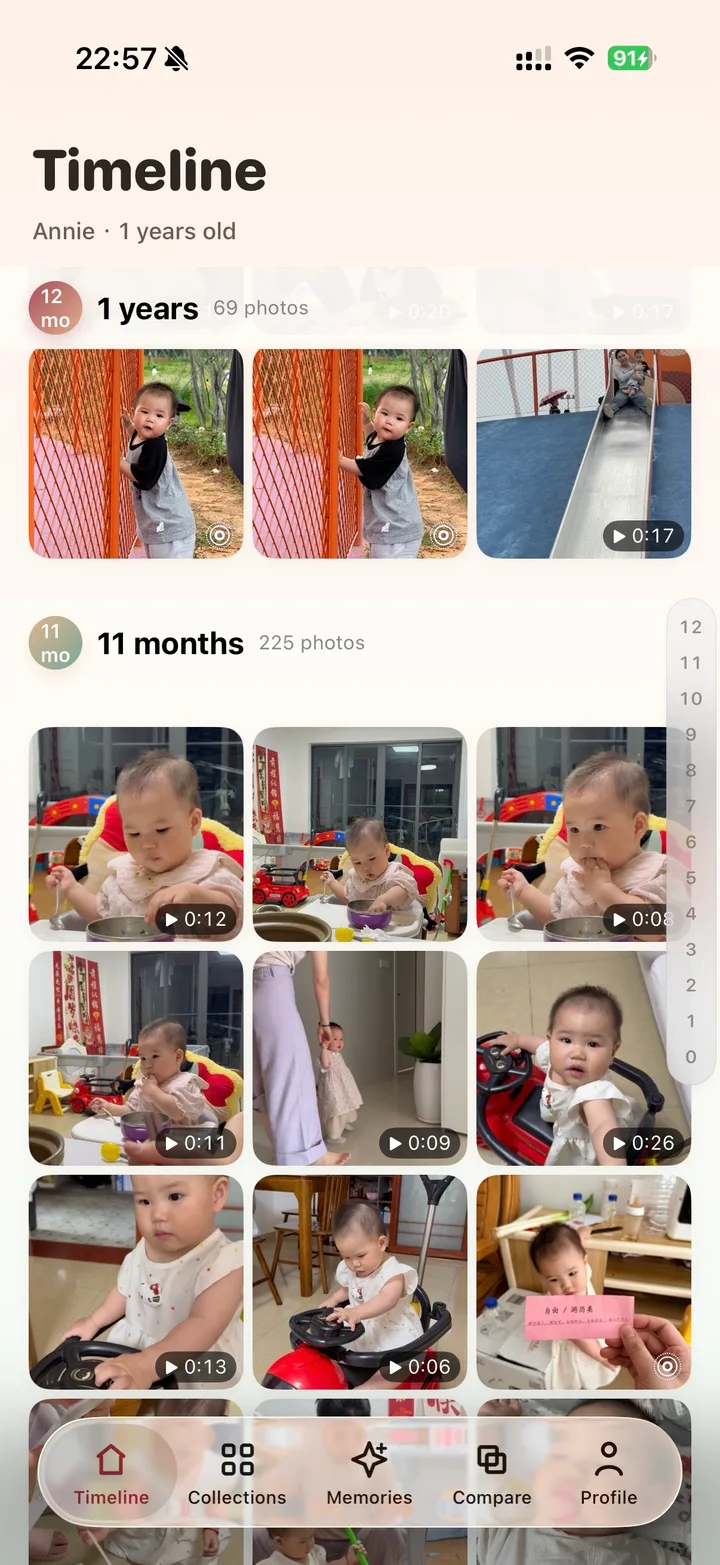
Set up the baby’s birthday and grant photo access in BabyTime. Its on-device analysis helps find baby photos; capture dates place them on an age-based timeline. You can then browse the stage you wanted to revisit and compare moments from different ages.
Check a few familiar photos before relying on the timeline. If an image received through messaging appears in the wrong month, inspect its date first. A correct birthday cannot fix a missing or incorrect capture date.
Keep a short monthly routine
At the end of each month, review the new pictures, choose your favorites, and check any photos received from family. A small routine makes a first-birthday album much easier to assemble later.
Use the first-year photo checklistTurn the method into a real timeline
Continue to the age-based organizing page, or download BabyTime and start with your existing photos.